Rich text for Teams and mail
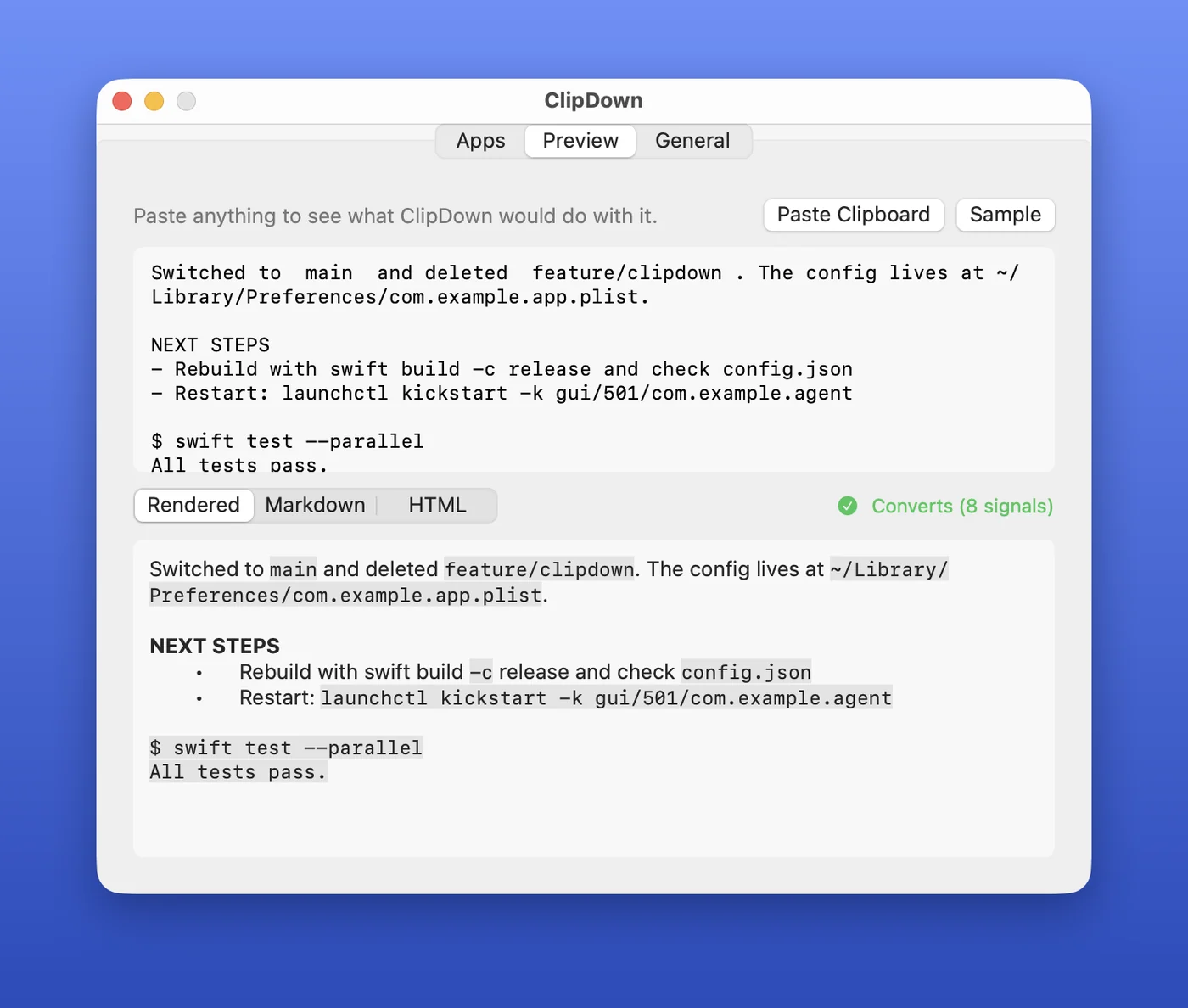
Teams, Outlook, Mail and Notes get real inline code, code blocks, lists and headings.
Copy an answer out of Claude Code, paste it into Teams, Slack or Discord, and the code is still code. ClipDown reshapes your clipboard for whichever app you're pasting into.
Works with Teams, Slack, Discord, Outlook, Mail, Notes, Obsidian, Notion and more.
Free and open source. Signed, notarized, updates itself. macOS 15 or later.
Why I built it
I live in the terminal. Claude Code writes me beautiful answers full of inline code, commands, file paths and little box-drawn tables. Then I copy one into Teams to share it and... mush. Every backtick is gone, every command is just more prose, and the table collapses into a wall of pipes.
Pasting Markdown doesn't help either. Teams only formats Markdown you type. Paste **bold** and you get two asterisks on each side.
So I built ClipDown. It notices when you switch to an app like Teams or Slack, looks at what's on the clipboard, and if it's technical text that lost its formatting, it quietly adds a rich-text version. Paste, and the code is code again.
It just works. No hotkey, no extra step.
Built to stay out of the way
ClipDown only touches the clipboard when it can help, and only for the apps you pick.
Teams, Outlook, Mail and Notes get real inline code, code blocks, lists and headings.
Slack, Obsidian, Notion and Discord get clean Markdown source instead, and format it the way they expect.
Switch to your editor or terminal and the clipboard is exactly what you copied. No surprises left behind.
"Lunch at noon works for me." stays exactly that. So do single words, URLs, filenames and anything already formatted.
Your clipboard never leaves your Mac. No analytics, no AI. The only network request is the update check. Password manager clips are skipped.
Clipboard managers like Pastebot, Raycast and Maccy keep seeing just your original copy, with no duplicate entries.
How it works
Fast, predictable heuristics spot inline code, commands, paths, JSON, box-drawn tables and lists. There's nothing new to learn.
From Claude Code, Ghostty, Terminal, iTerm, a log file, anywhere.
Bring Teams, Slack, Discord (or any app in your list) to the front. ClipDown checks the clipboard and reshapes technical text for that app.
Commands come out as inline code, shell sessions as code blocks, and tables keep their columns lined up.
Pick your apps
ClipDown starts with Microsoft Teams. Open Settings from the menu bar to add Slack, Discord, Outlook, Mail, Notes, Word, Obsidian, Notion, Bear, Linear, Claude or ChatGPT from the suggestions, or any app on your Mac.
clipdown targets
clipdown add com.tinyspeck.slackmacgap
clipdown add com.apple.mail --rich-text
clipdown remove com.apple.mail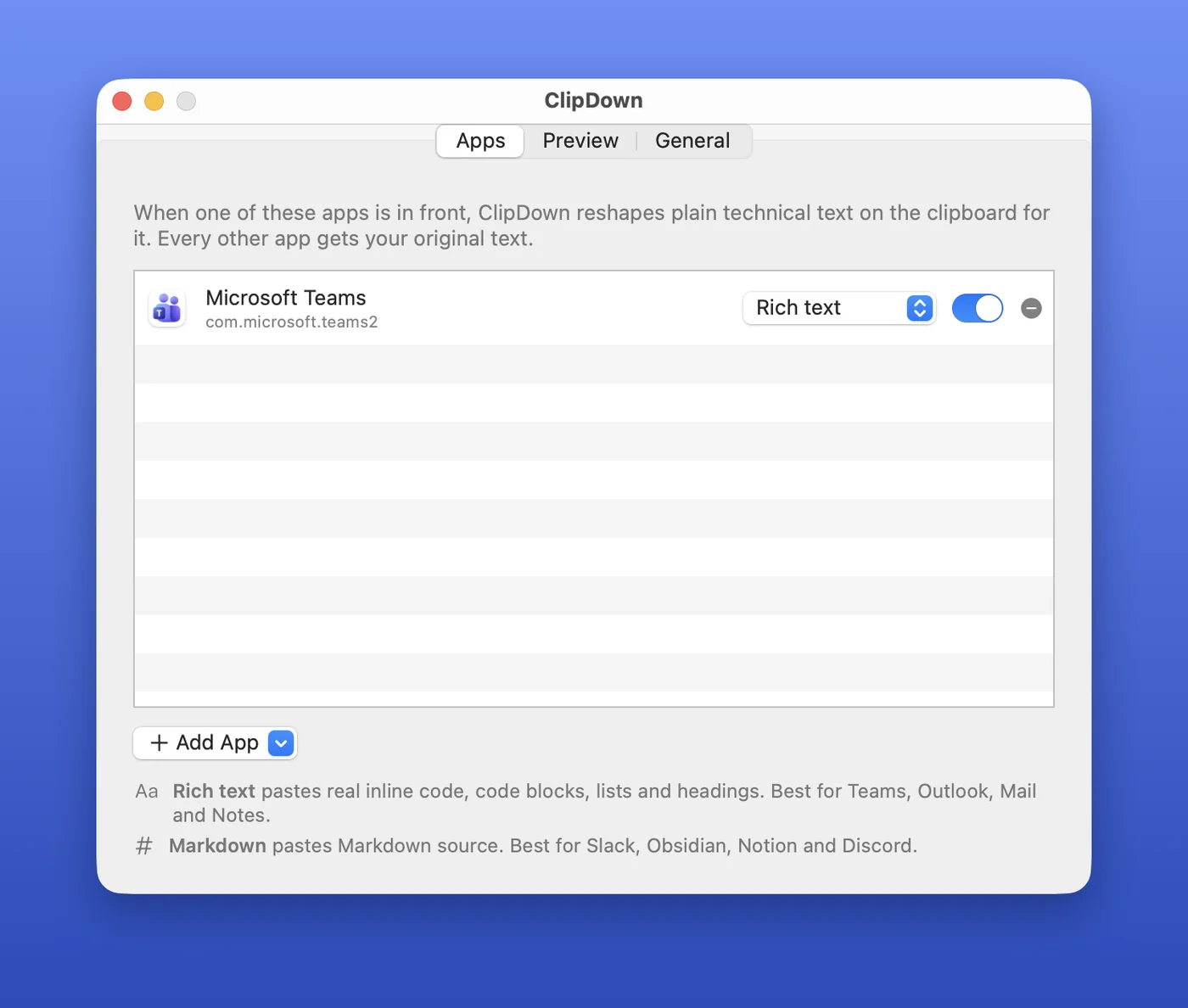
Install
One Homebrew command, or download the app and drag it into Applications. Open it once and it adds itself to your login items. You'll find it in the menu bar, and new versions arrive on their own.
brew install --cask omarshahine/tap/clipdownGood to know
The first time ClipDown reads the clipboard, macOS may ask whether it can paste from other apps. Choose Allow. That's the whole point of the app. It only reads the clipboard while an app in your list is in front, and only when the clipboard holds plain text.
The terminal throws that information away, so ClipDown would have to guess. A wrong guess bolds random words in a work chat, which is worse than no bold at all. Markdown that's already in your text (**like this**) is rendered.
Yes. Claude Code's inline code survives best, because it leaves a reliable fingerprint. Commands, paths, tables and the rest work from any terminal.
Use Convert Clipboard Now in the menu bar, or run clipdown --convert-now (add --markdown for Markdown).
ClipDown skips anything a password manager marks as concealed or transient, plus images, files, text that's already formatted, and clips over 50 KB.
Yes: download ClipDown (signed and notarized by Apple) or install it with Homebrew. It isn't on the App Store. Prefer to build it yourself? Clone the repo and run scripts/install.sh.